TradeTerminal

Connect your account to TradeTerminal

Two ways in: a forex account through MT5, or a crypto exchange account. Each takes a few minutes.

Create your free account
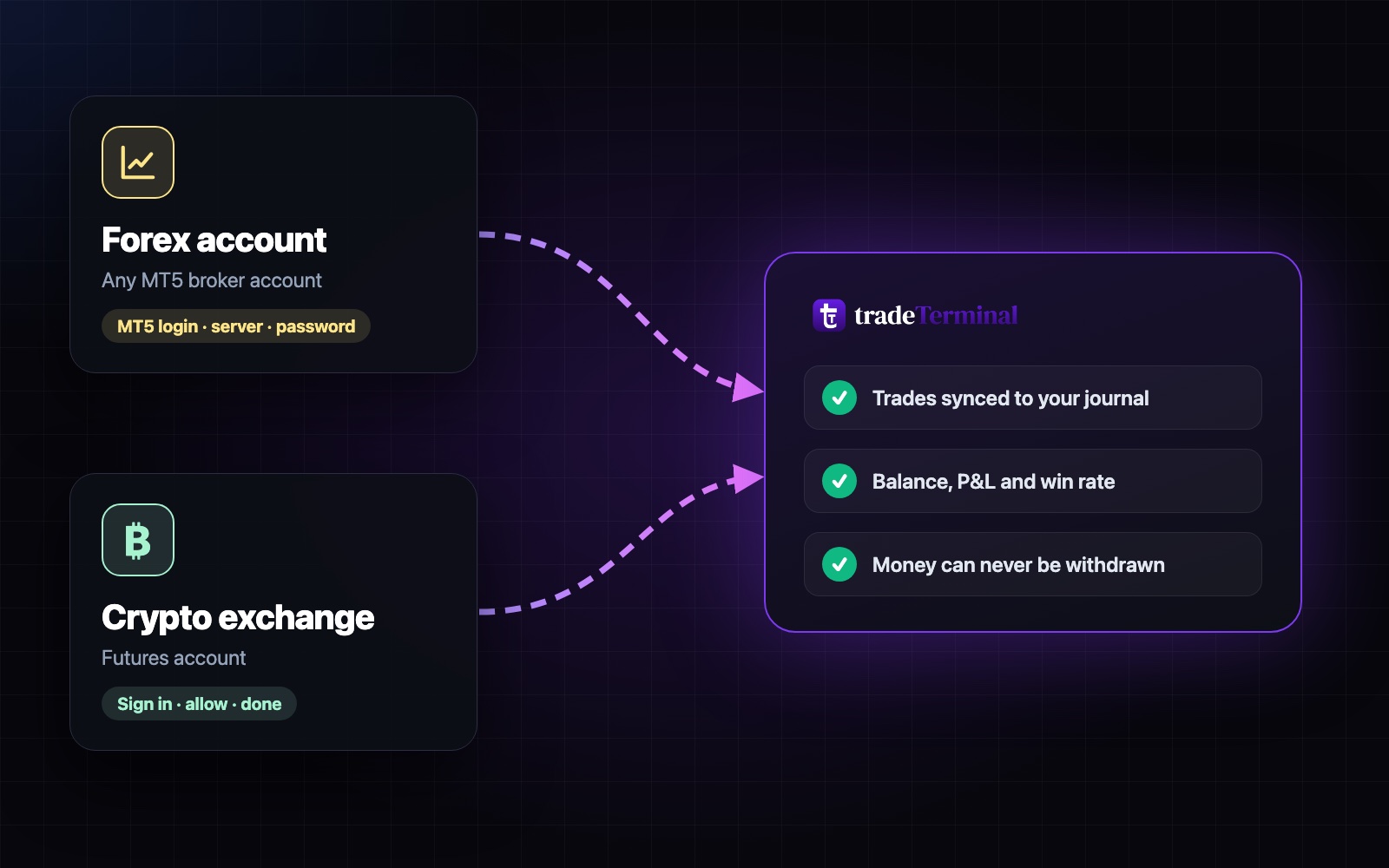
A forex MT5 account and a crypto exchange account connecting to TradeTerminal

Forex account (MT5)

  1. Open Supported BrokersSign in and choose Forex.
  2. Pick your brokerNo account yet? Open one with our link on the card.
  3. Send your UIDUsually approved in about 10 minutes.
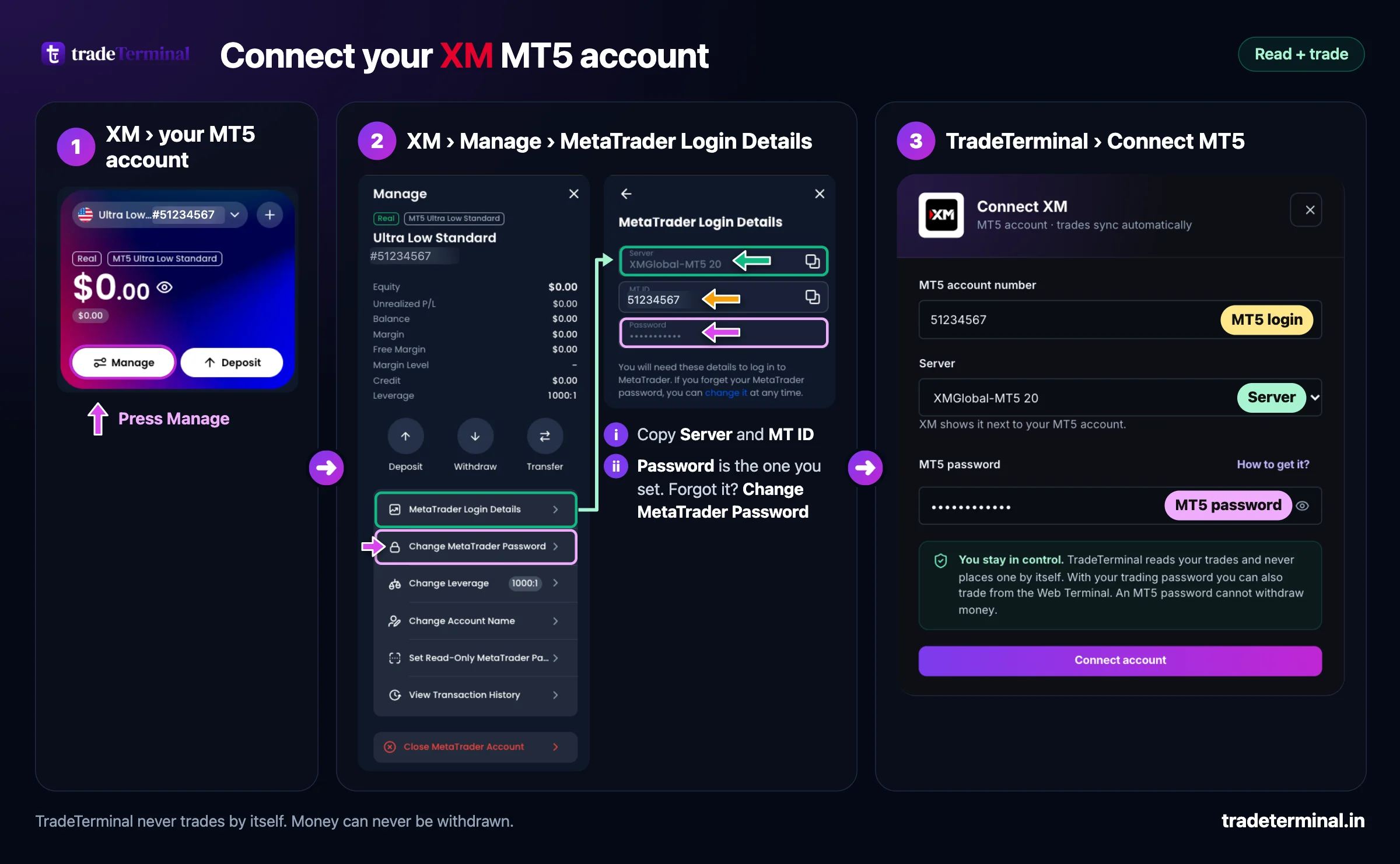
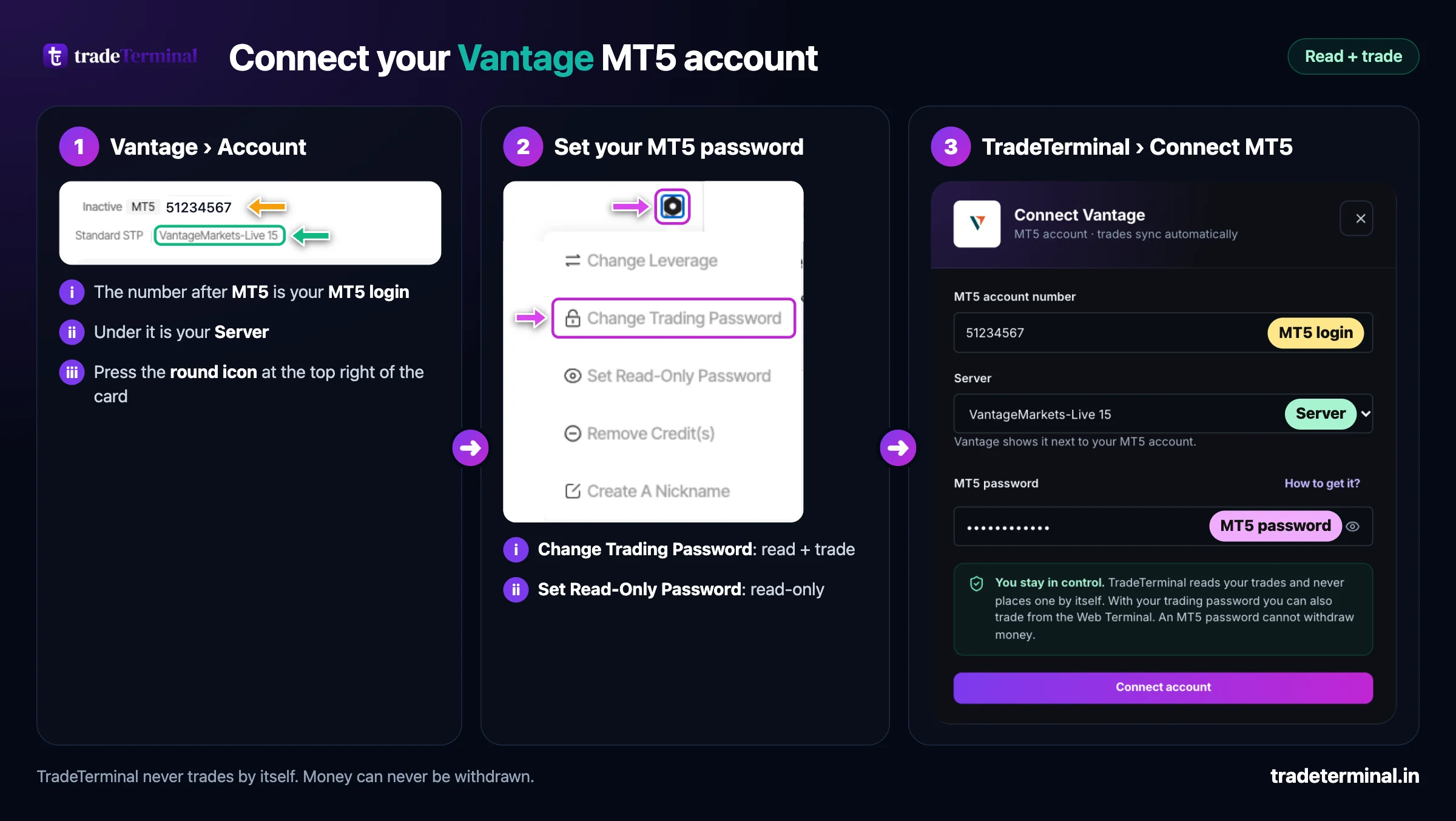
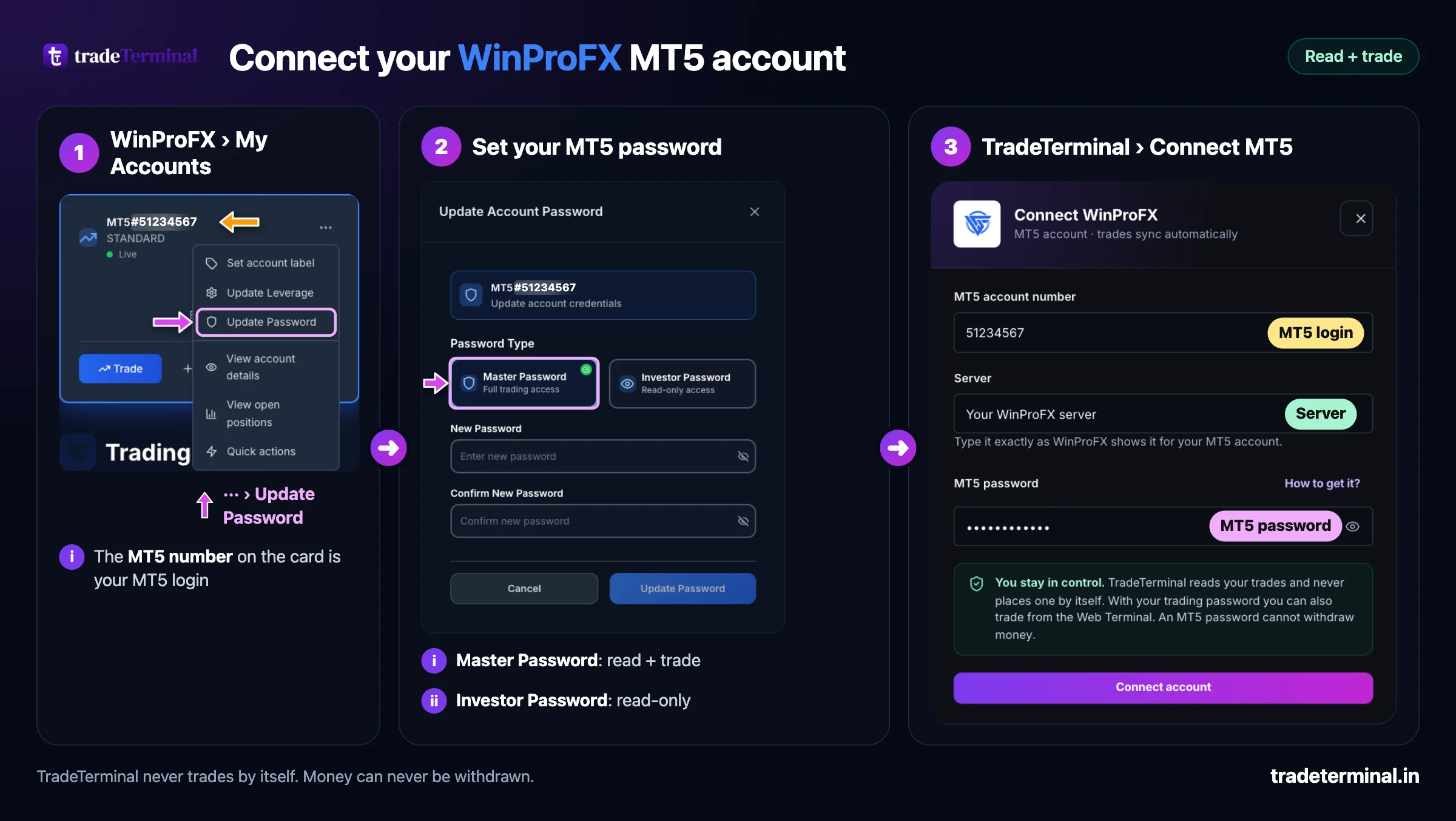
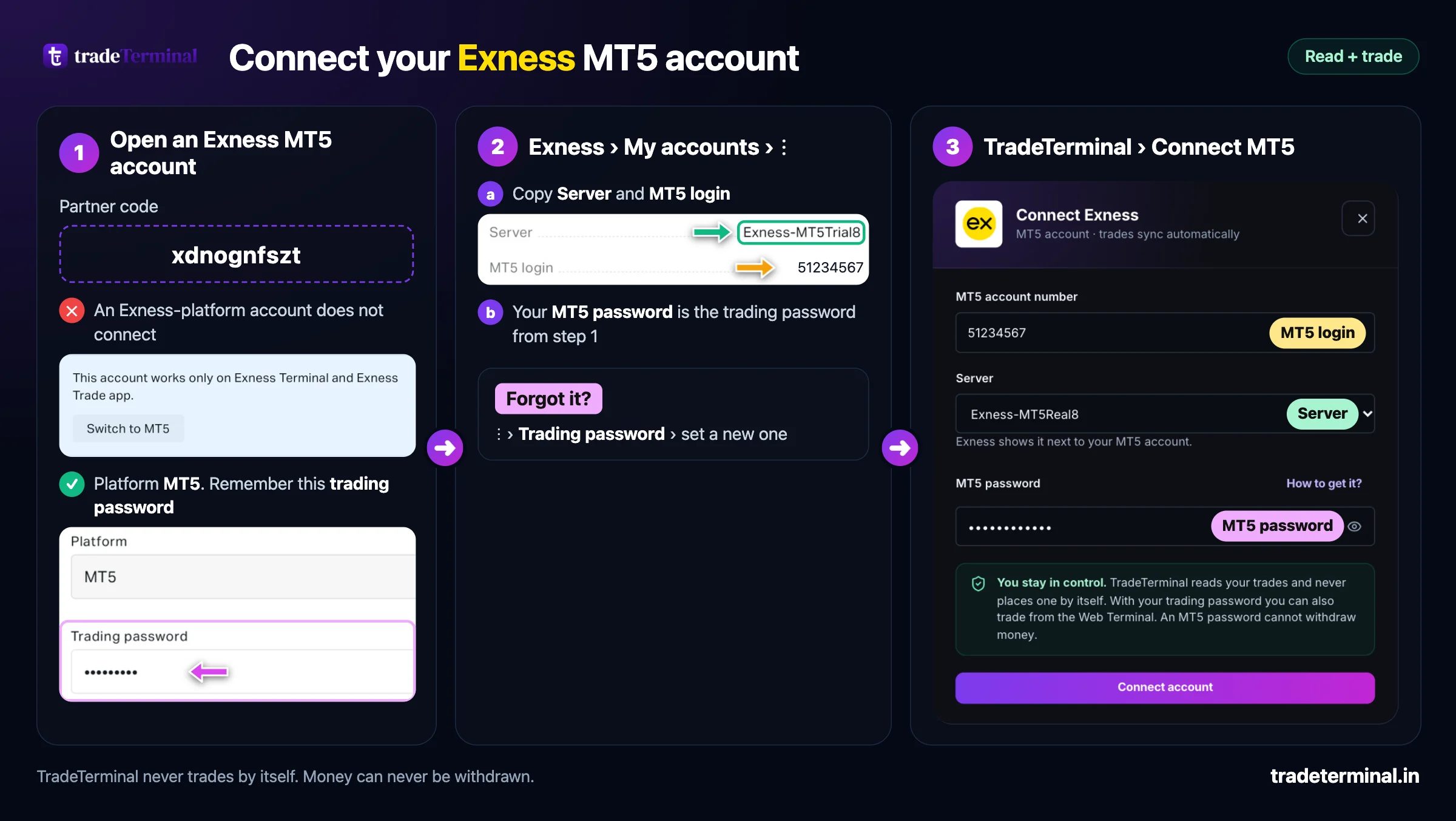
  4. Enter MT5 detailsMT5 login, server and password. The pictures below show where to find them.
  5. Press SyncYour trades and balance appear in your journal.

Your password is not saved. Money can never be withdrawn.
Crypto exchange

  1. Open Supported BrokersSign in and choose Crypto.
  2. Pick your exchangeNo account yet? Register with our link and referral code.
  3. Send your UIDWe check the account was opened through TradeTerminal.
  4. Press ConnectSign in on the exchange and allow. No API key needed.
  5. DoneYour futures trades and balance appear in your journal.

Read-only. TradeTerminal cannot trade or withdraw on the exchange.

Forex: where to find your MT5 login, server and password

Start your TradeTerminal journal

Free for this week. From next week it will be paid: $45 per month. No card required now. Made for Indian traders.

Create your free account