
Trades logged automatically
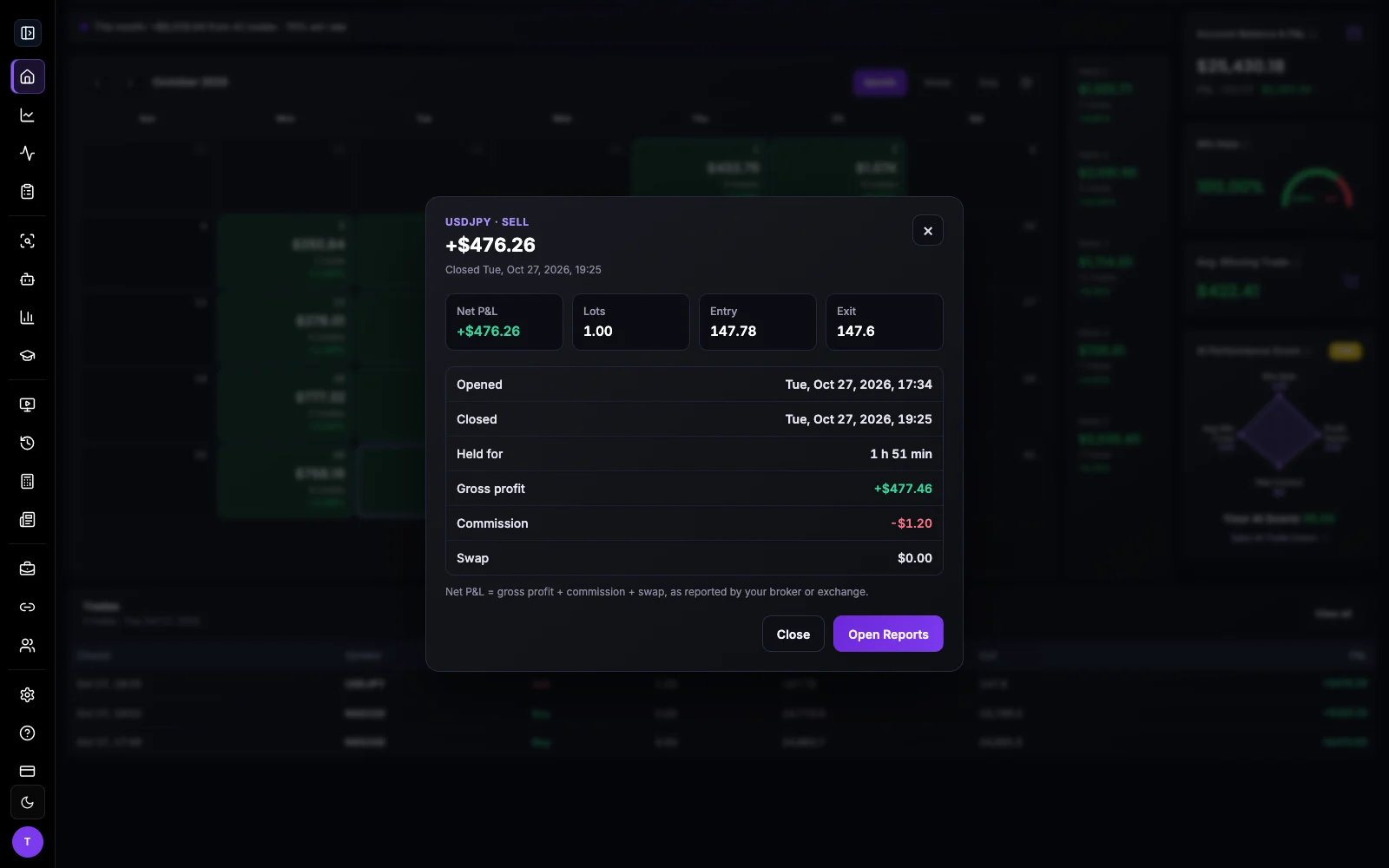
Connect an MT5 account and TradeTerminal records each closed trade: symbol, side, lots, entry, exit, commission, swap and net result.
A journal you do not have to type. Your closed trades arrive from the broker and are ready to review.
Try TradeTerminal free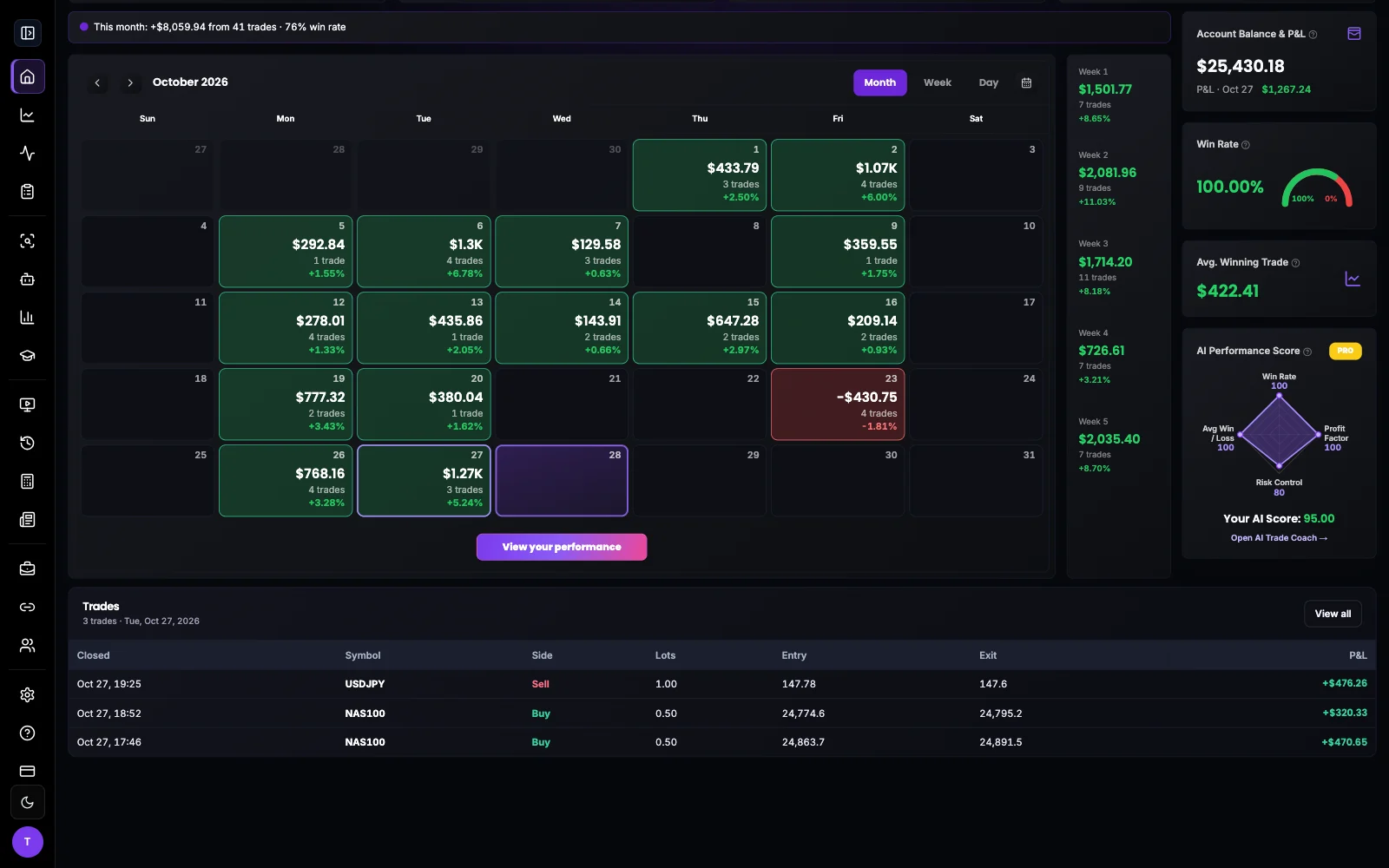
Connect an MT5 account and TradeTerminal records each closed trade: symbol, side, lots, entry, exit, commission, swap and net result.
If your broker is not connected yet, import your trade history from a CSV file. TradeTerminal previews the rows before saving them.
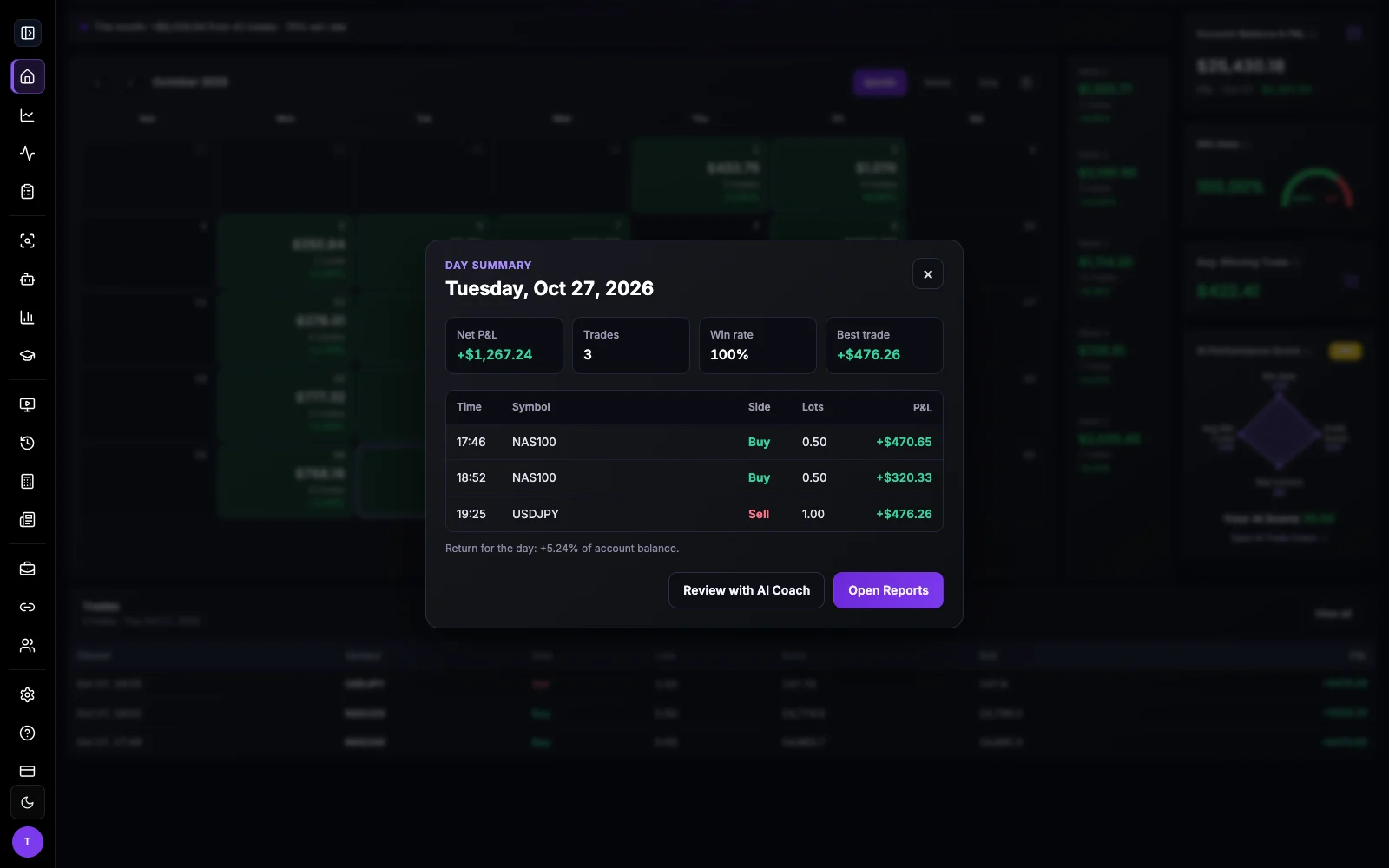
Tap a day to see its trades and win rate, or tap a trade to see its full details. From there you can send the day to the AI Trade Coach or open its report.
Trade times follow your own clock, so a trade closed at 11:30 pm in India belongs to that day in your journal.
Dashboard · Analytics · Calendar · Broker Sync · AI Trade Coach · Web Terminal · Market Intelligence · Product Tour · Pricing
Free for this week. From next week it will be paid: $45 per month. No card required now. Made for Indian traders.
Create your free account