
TradeTerminal Features
Everything in TradeTerminal, with a screenshot of each part. A trading journal, analytics and AI review in one place, made for Indian traders.
Get started free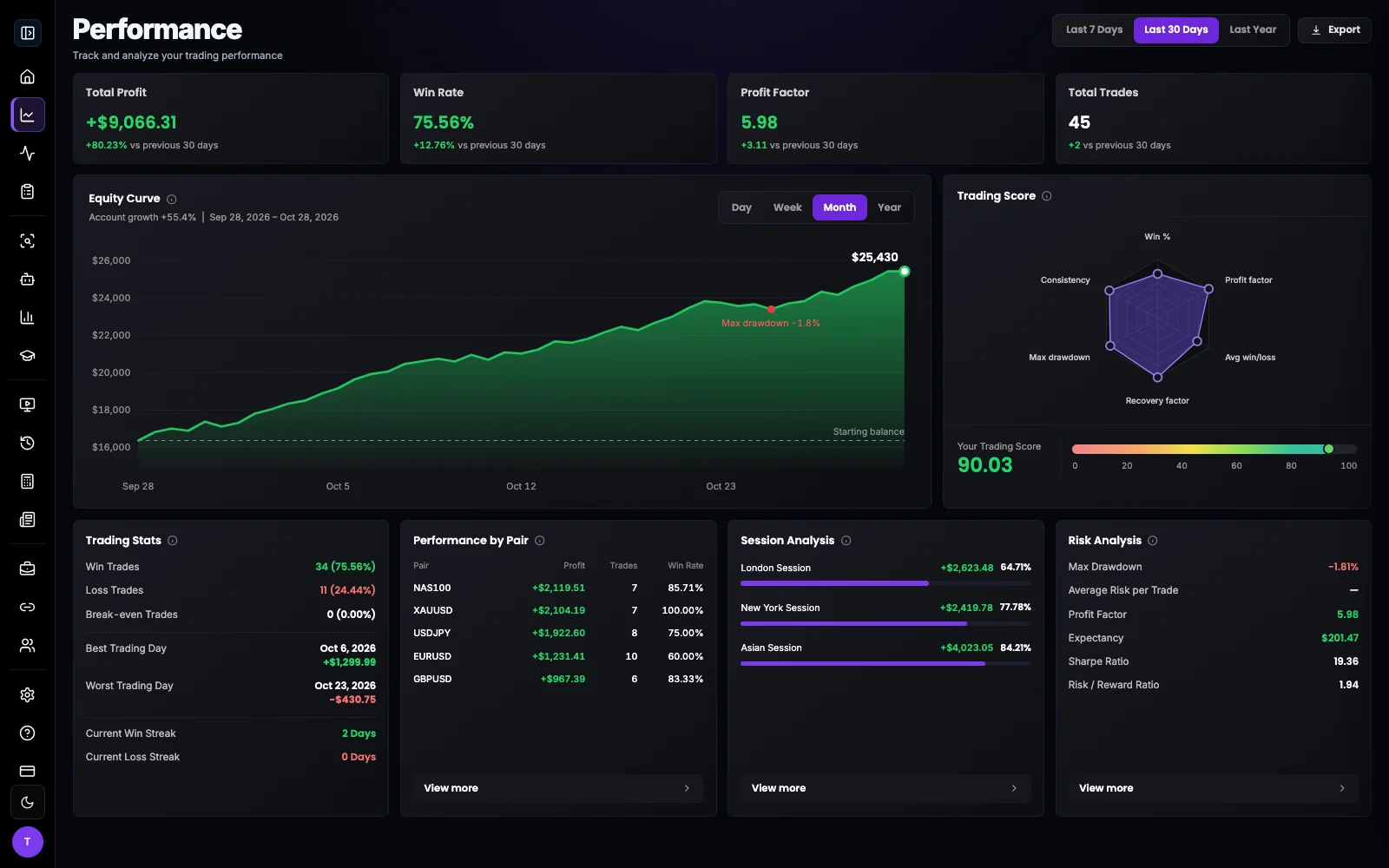
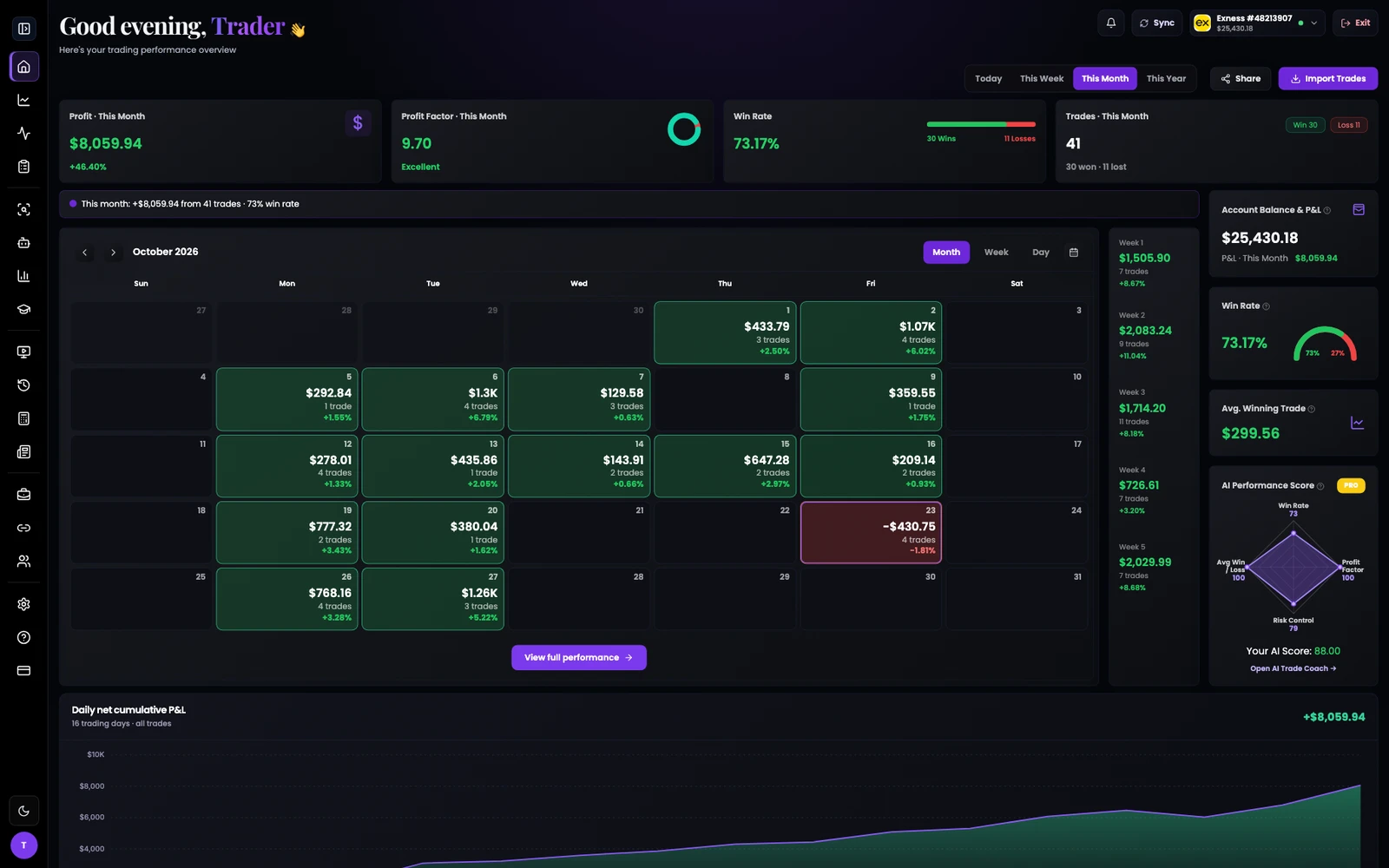
TradeTerminal Dashboard
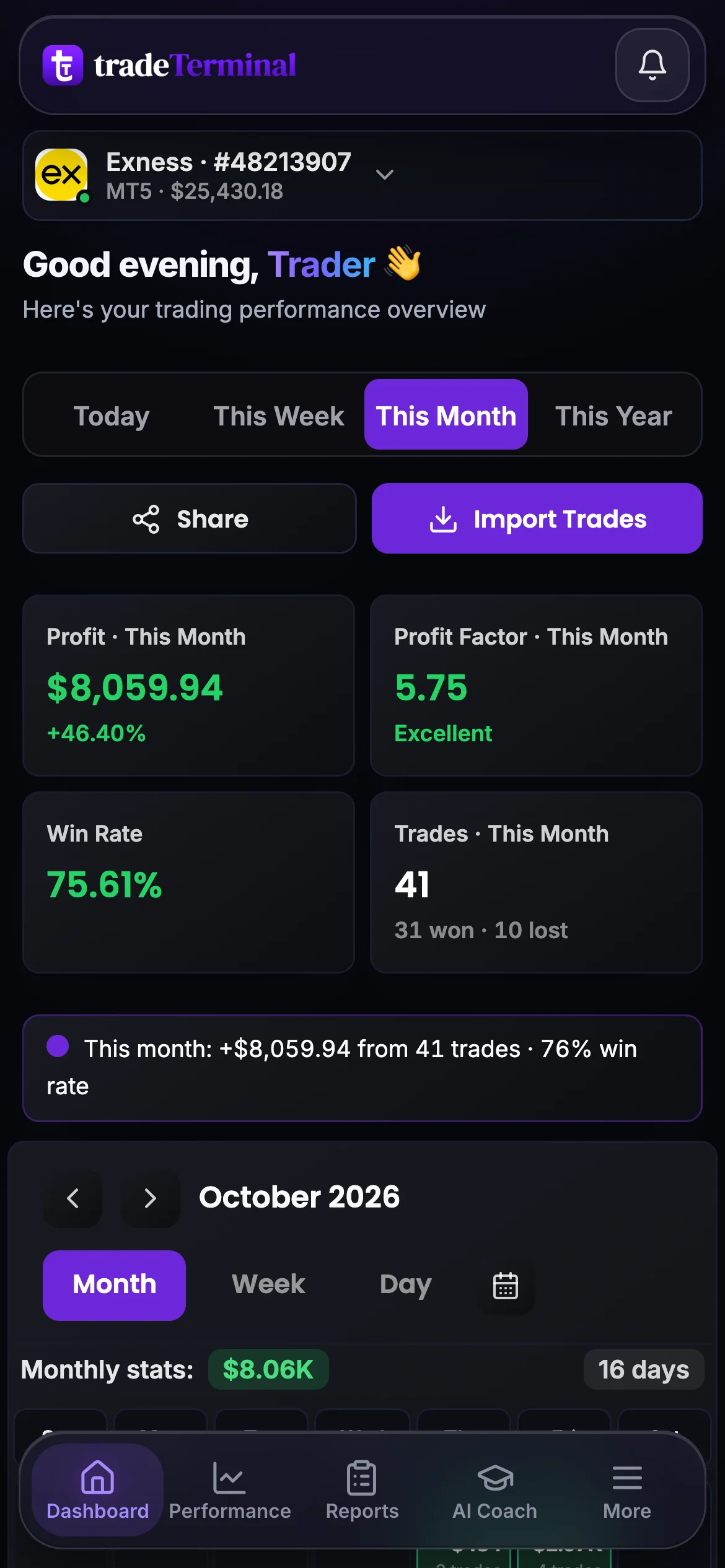
One screen that answers the question every trader asks at the end of the day: how did I actually do?
- Profit, win rate and profit factor
- Your account currency
- Calendar and recent trades together
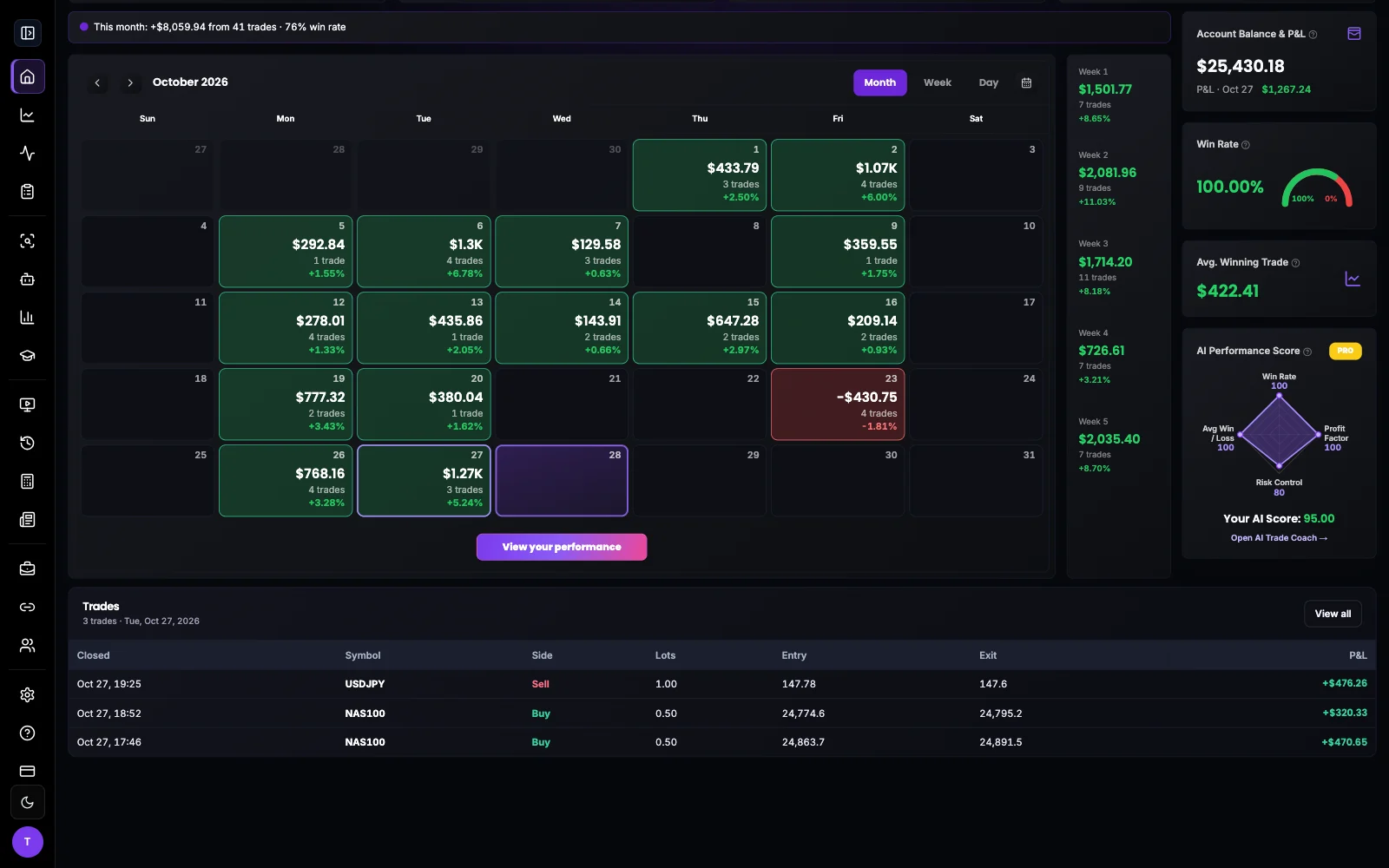
TradeTerminal Trade Journal
A journal you do not have to type. Your closed trades arrive from the broker and are ready to review.
- Trades logged automatically
- Import a CSV
- Open any day or any trade
TradeTerminal Analytics
See where your money is really made and lost: by pair, by session, by day.
- Equity curve and drawdown
- Trading score
- Results by pair and session
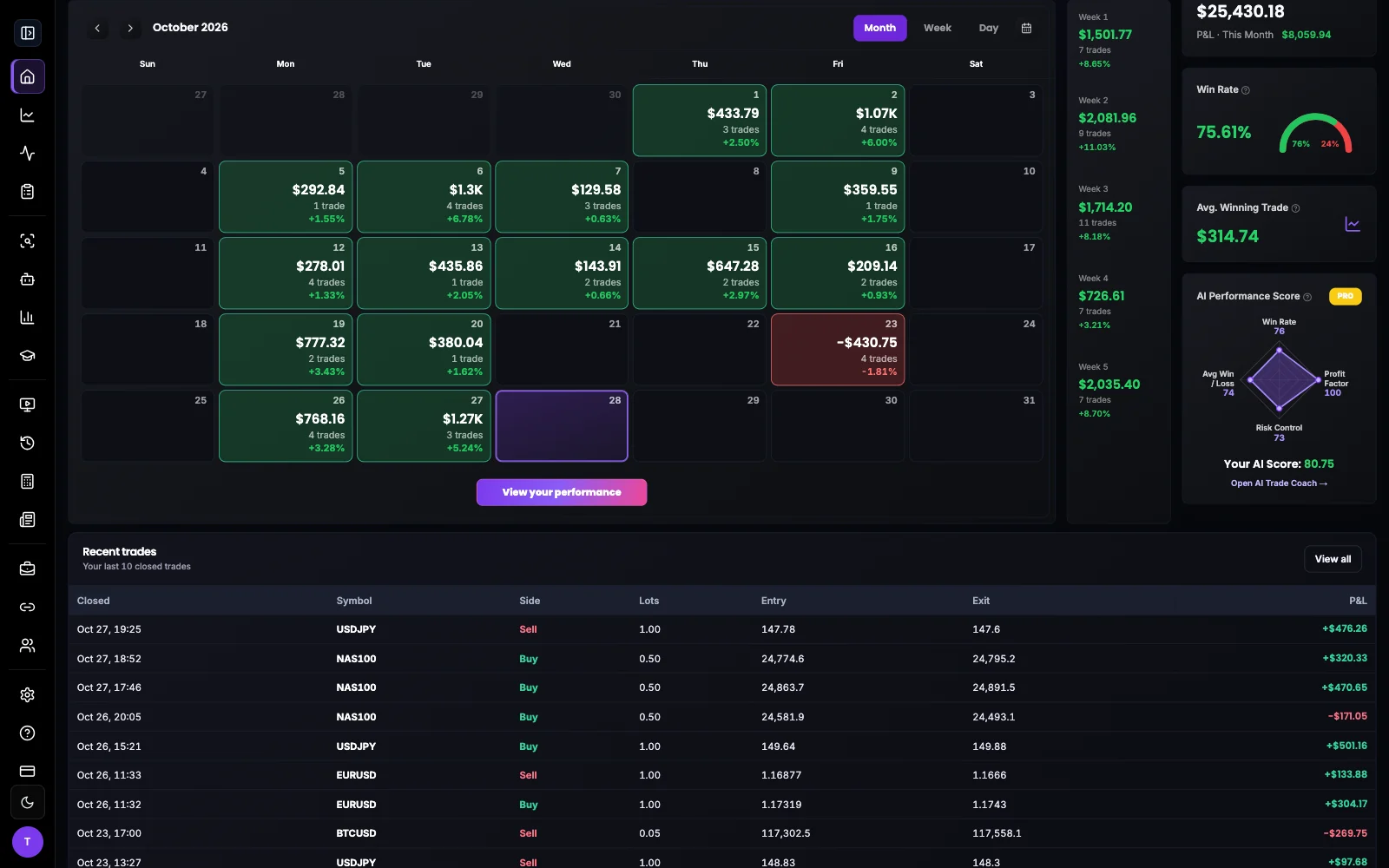
TradeTerminal Calendar
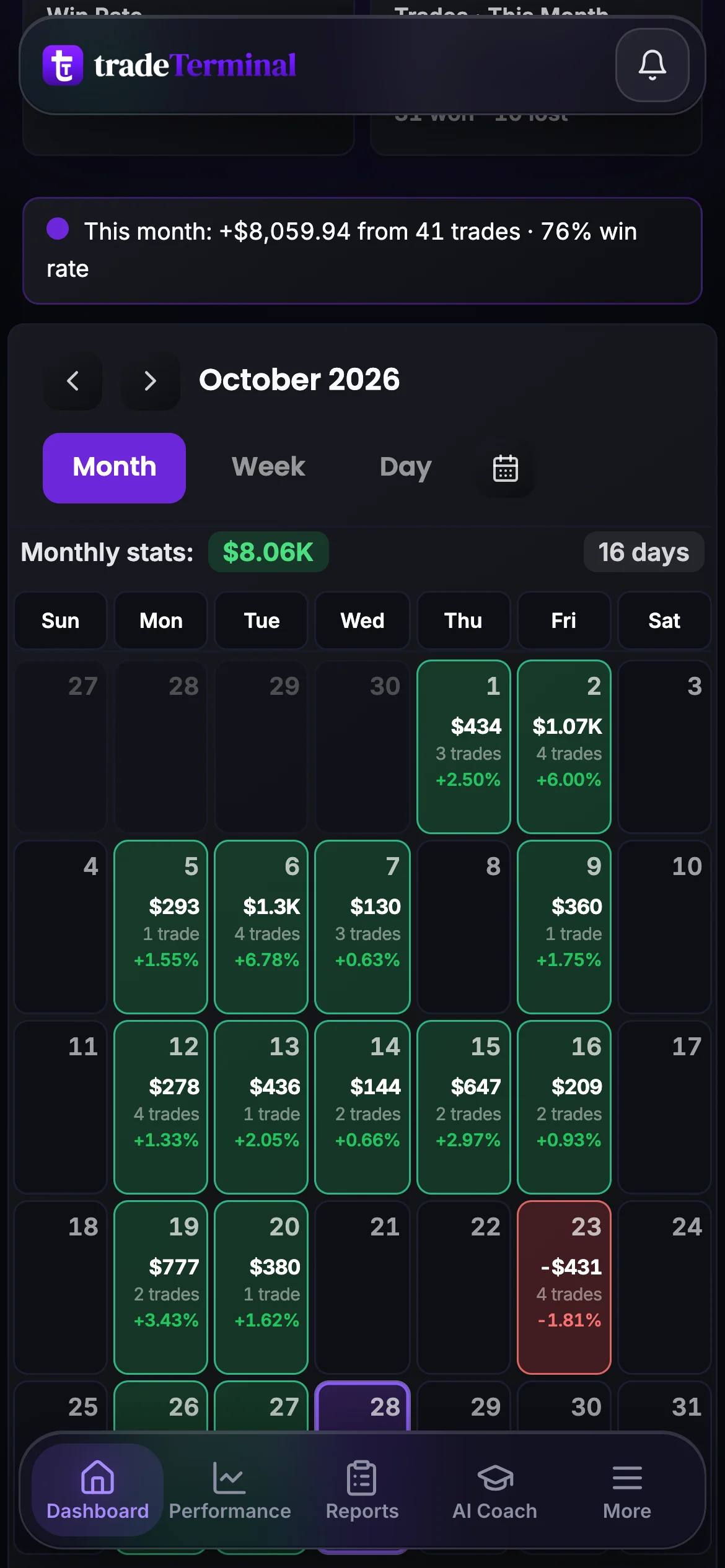
Your whole month as green and red days. Patterns you cannot see in a list of trades are obvious here.
- Green days and red days
- Weekly and monthly totals
- Month, week or day
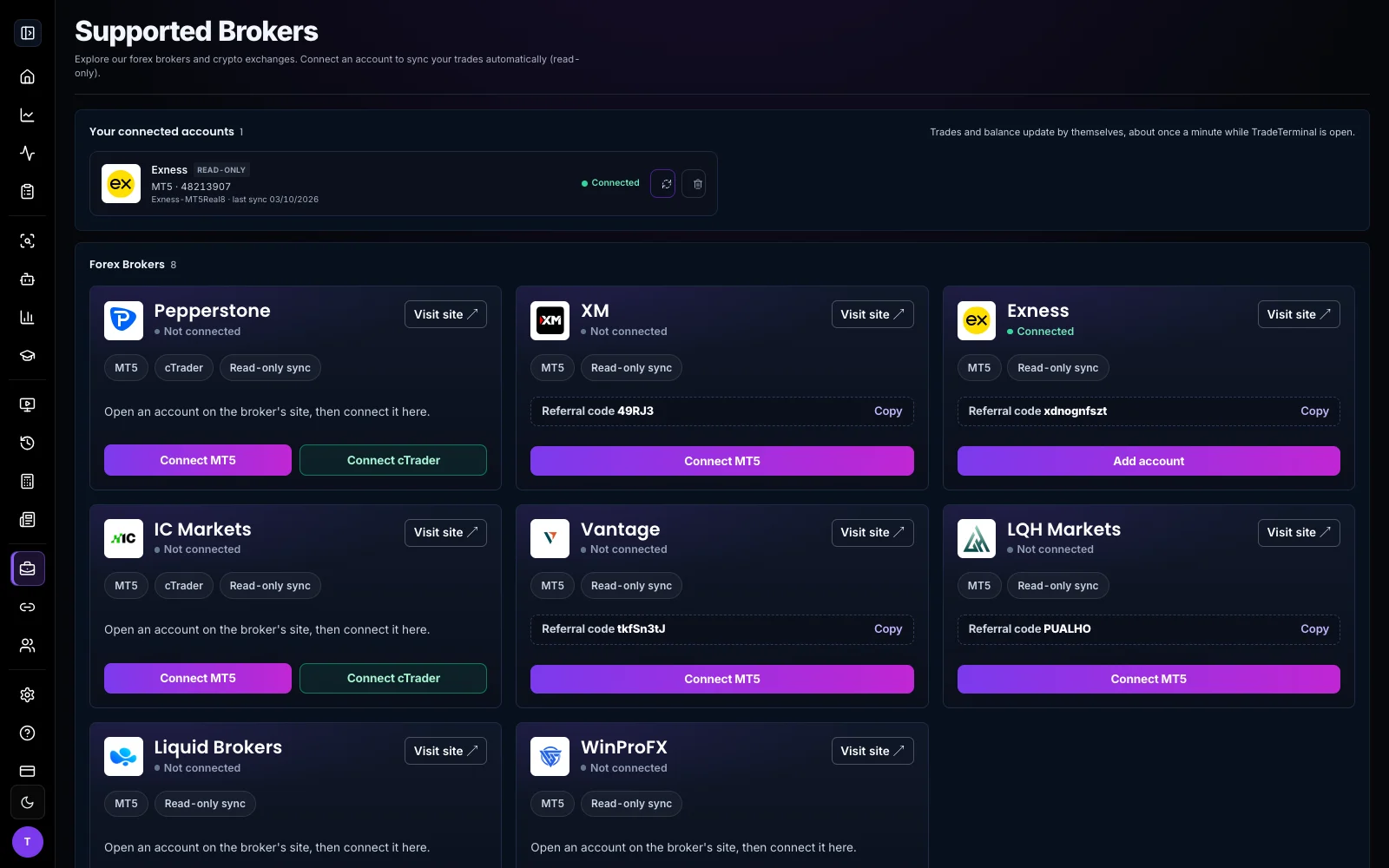
TradeTerminal Broker Sync
Connect once. TradeTerminal reads your closed trades and balance. TradeTerminal never places a trade by itself; on an MT5 account you can trade yourself from the Web Terminal.
- MetaTrader 5
- Crypto exchanges
- NSE and BSE: coming soon
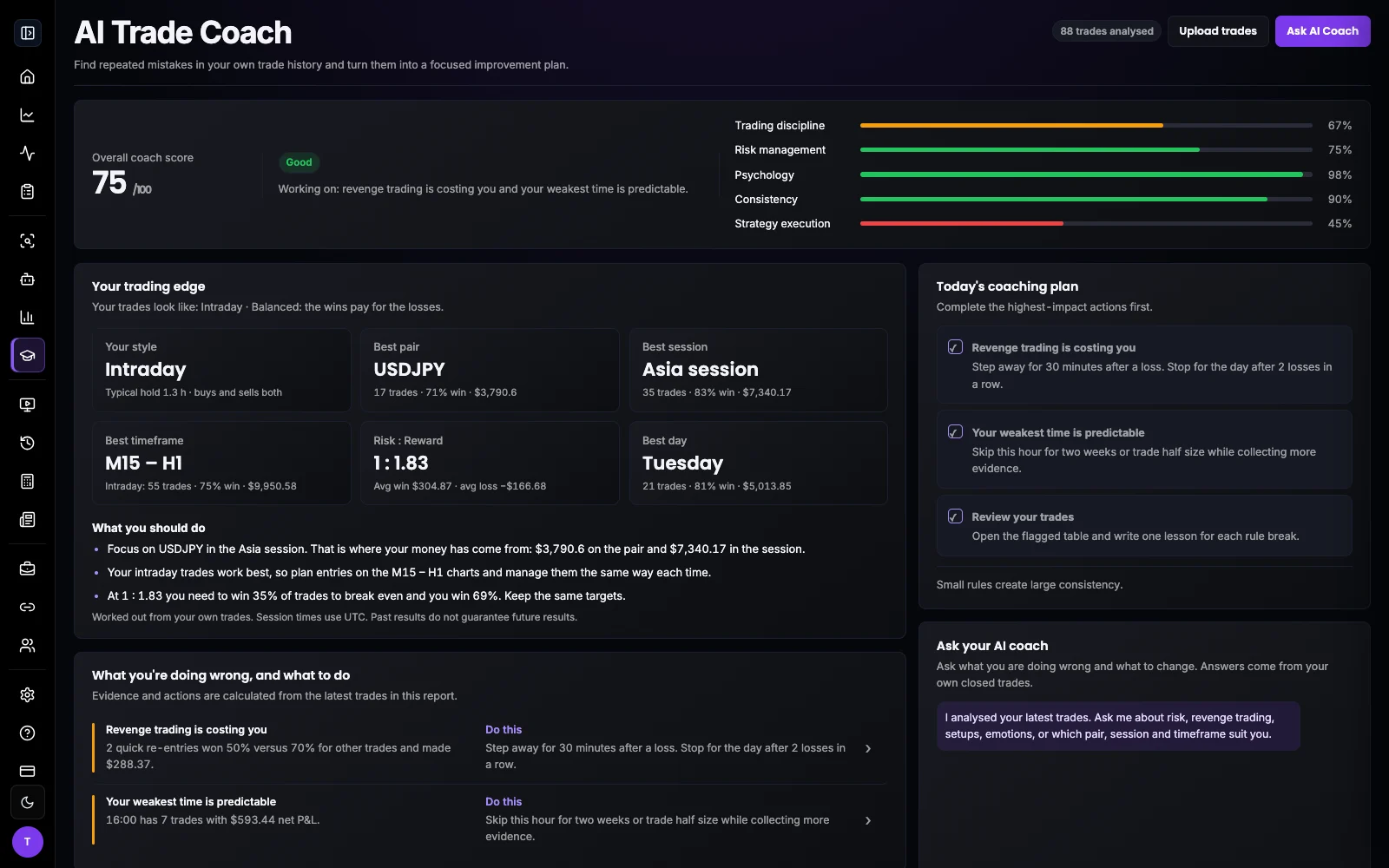
TradeTerminal AI Trade Coach
A coach that has read every one of your trades and tells you, plainly, what to change.
- Mistakes found in your own trades
- Ask it anything about your trading
- Review a single day
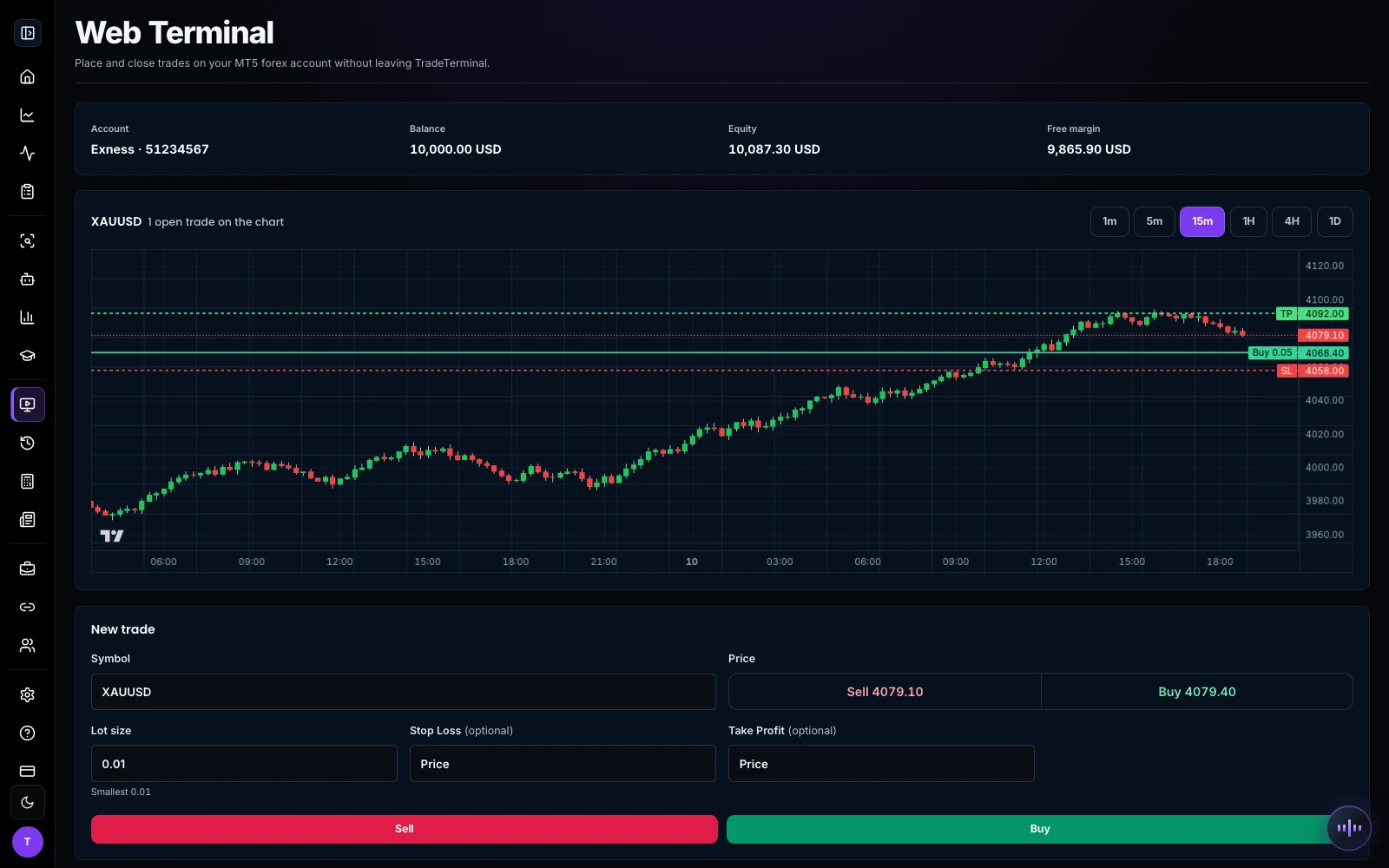
TradeTerminal Web Terminal
Trade your MT5 forex account from the same place you journal it. The chart shows every open trade with its Stop Loss and Take Profit.
- Buy and Sell at the market price
- Your trades on the chart
- Close a trade in two taps
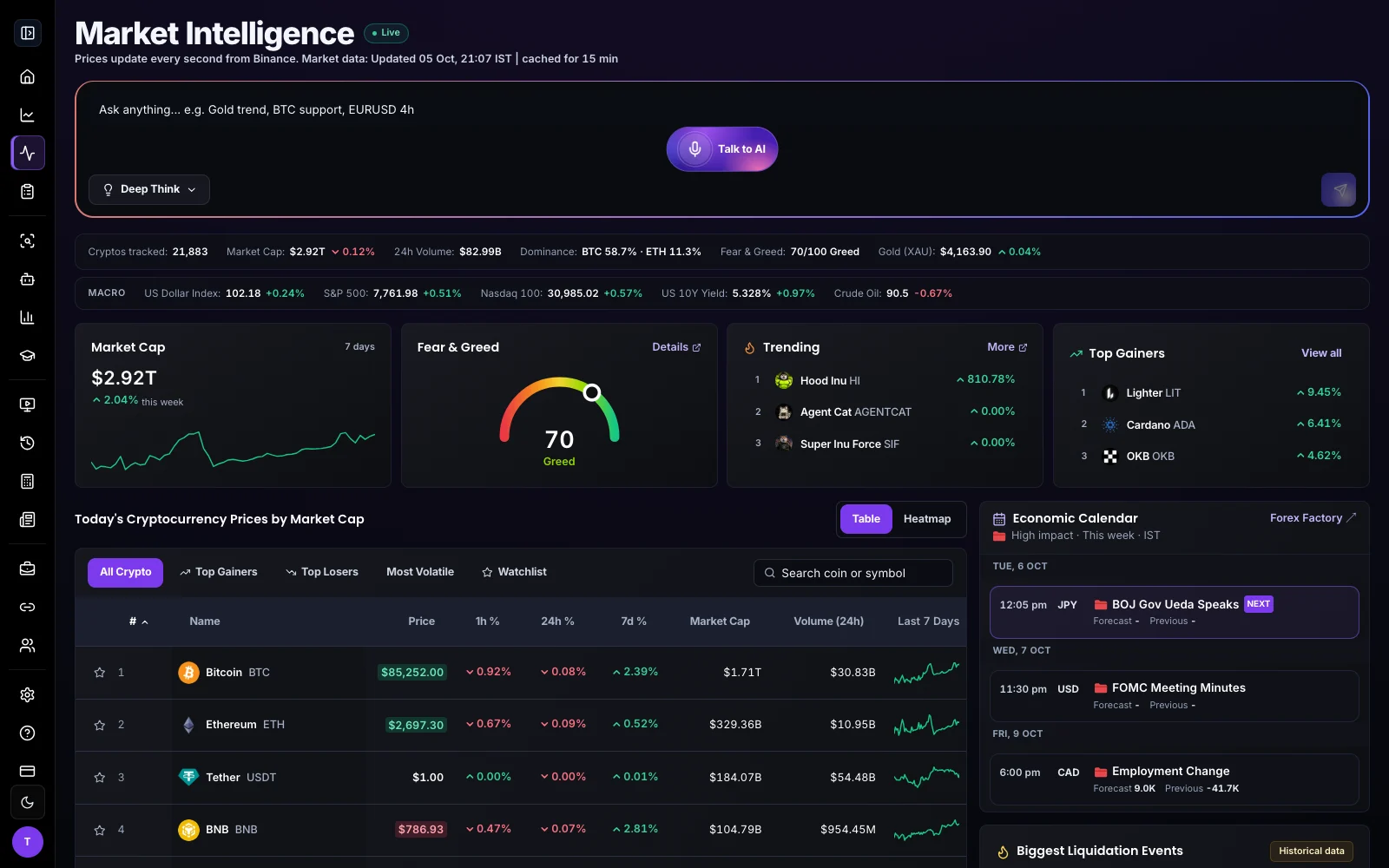
TradeTerminal Market Intelligence
The market at a glance before you place a trade: prices, mood, the week’s big events and the news.
- Live prices and market mood
- Heatmap
- Economic calendar in IST
More tools in TradeTerminal
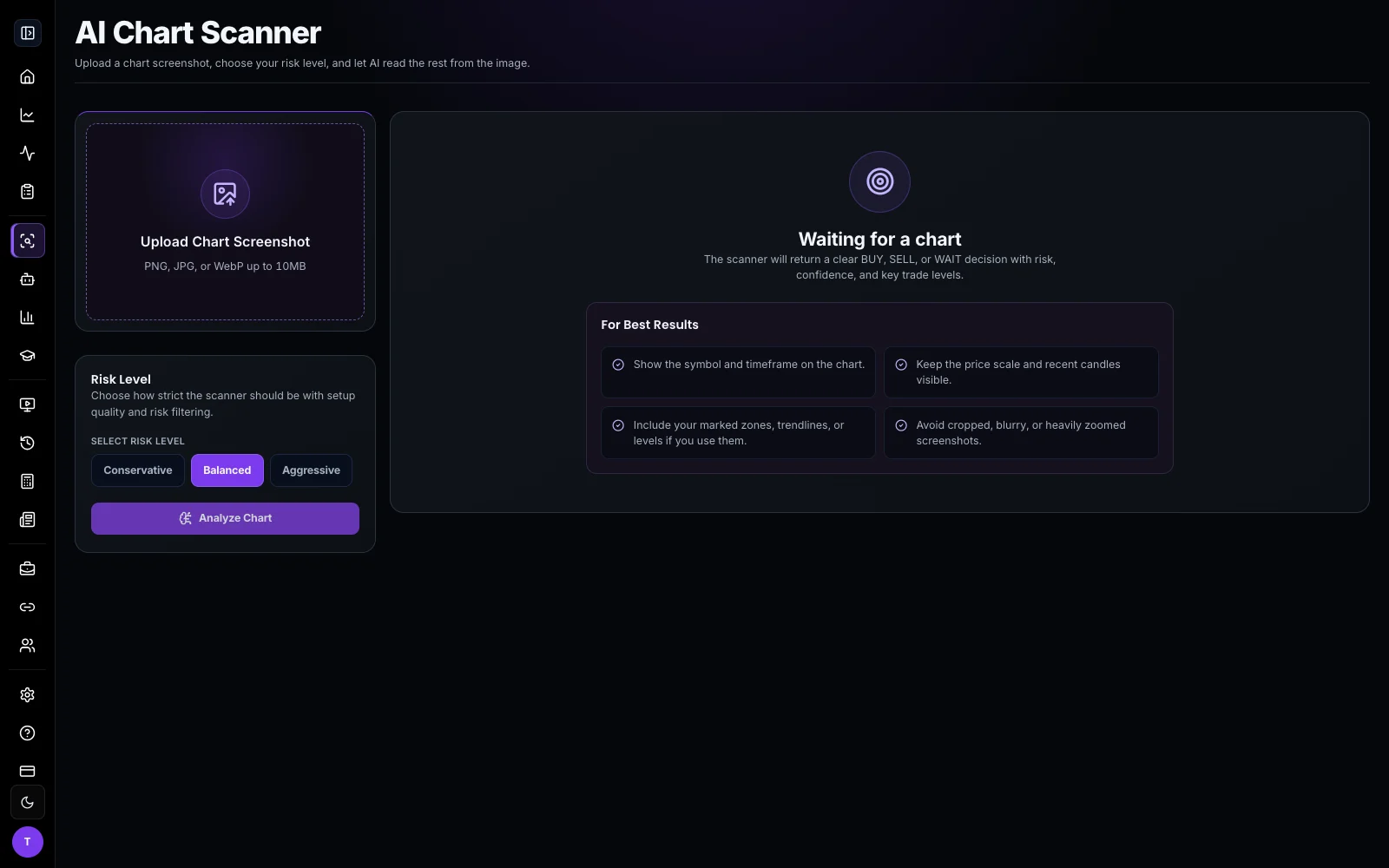
The AI Chart Scanner reads a chart screenshot and returns a BUY, SELL or WAIT view. The risk calculator sizes a trade from your capital and stop loss in your own currency. TradeTerminal also has AI Signals, an AI Strategy Backtester, Market Intelligence and real-time news.
TradeTerminal on your phone
The same journal in an app-style layout: a tab bar at the bottom and a calendar that fills the screen.
See every screen
Take the TradeTerminal product tour: dashboard, journal, analytics, AI tools, markets and the phone layout.
Start your TradeTerminal journal
Free for this week. From next week it will be paid: $45 per month. No card required now. Made for Indian traders.
Create your free account