How to Stop Revenge Trading (and How TradeTerminal Spots It)
Revenge trading is one of the most expensive habits in trading, and most traders do not notice they have it. This guide explains what it is, how to find it in your own trades and what to do about it.
What revenge trading is
You take a loss. Within minutes you open another trade, often bigger, to win the money back. The second trade is not part of your plan. It is a reaction.
Sometimes it works, which is the problem: it teaches you to do it again.
How to tell if you do it
Look for these signs in your history:
- A new trade opened soon after a losing trade closed.
- A larger size than your normal size right after a loss.
- Several trades on the same instrument within a short time on a red day.
- Days where the first loss was small and the final loss was large.
How TradeTerminal finds it
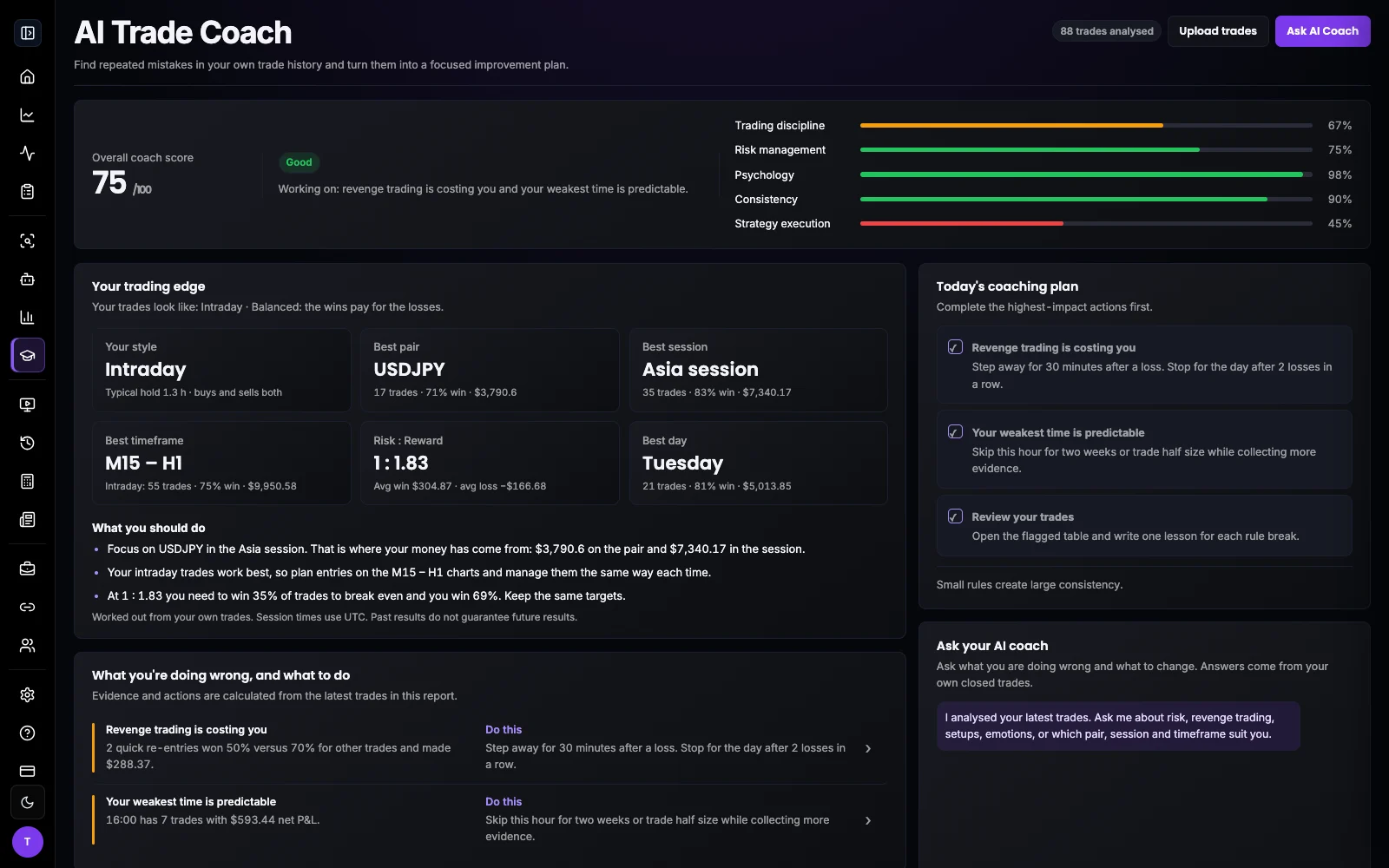
The TradeTerminal AI Trade Coach reads your closed trades and checks the ones you opened shortly after a loss, within about 30 minutes. It compares how those trades did against the rest of your trades and shows you the result.
If the trades you take right after a loss win less often and cost you money, the coach lists it as a mistake, with the numbers from your own account. The coach needs at least 10 closed trades to work.
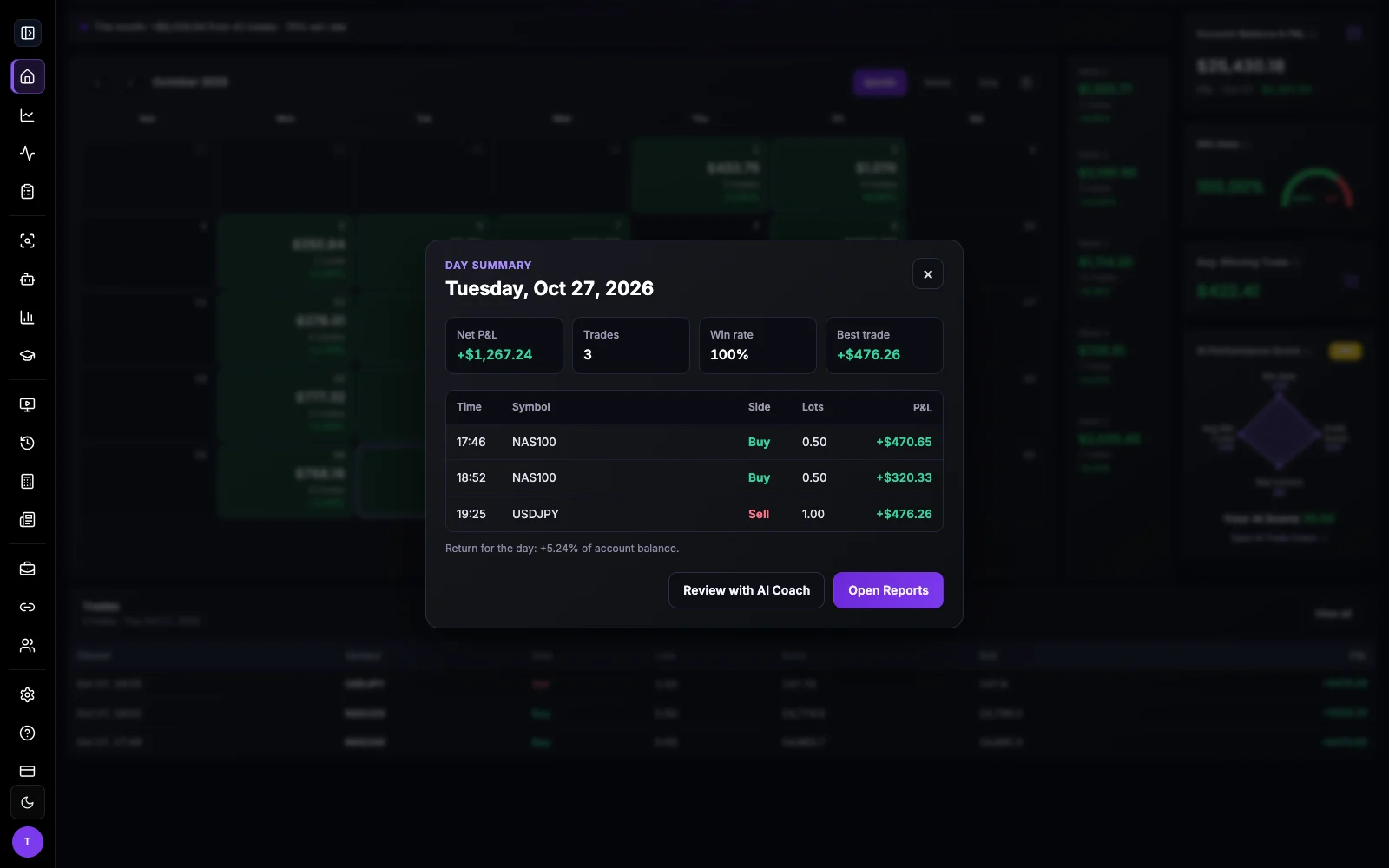
You can also check a single day. Open a red day on the calendar and press Review with AI Coach to get a review of what happened that day.
Five rules that stop it
- Wait after a loss. Close the platform for 30 minutes after any losing trade. Set a timer.
- Set a daily loss limit. Decide the amount before the day starts. When you reach it, stop until tomorrow.
- Limit your trades per day. A fixed number, for example three or four, leaves no room for extra trades.
- Keep the same size. Never increase size after a loss. If anything, reduce it.
- Write one line before every trade. If you cannot write why you are entering, do not enter.
Use the risk calculator before the day starts
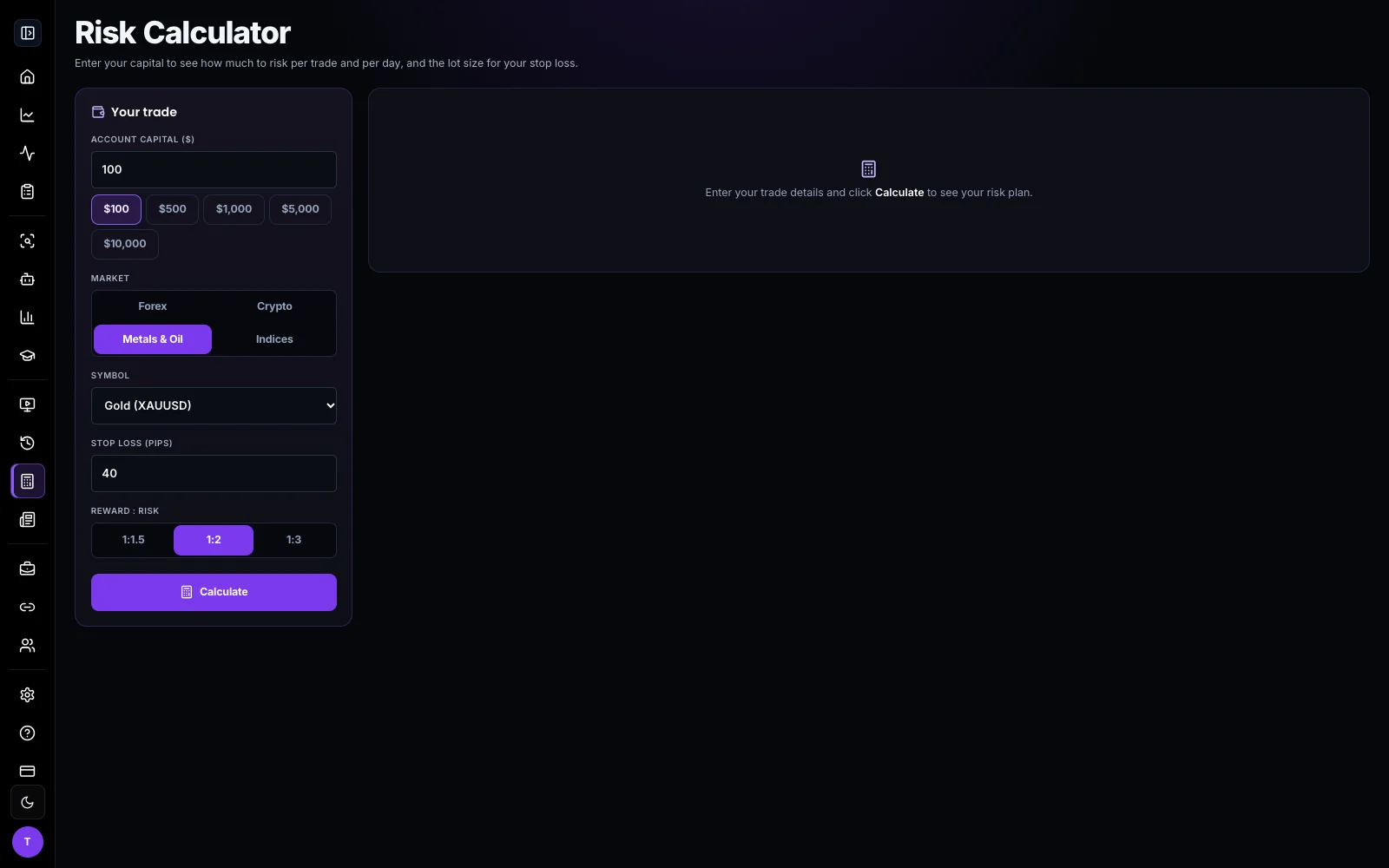
The TradeTerminal risk calculator works out how much to risk per trade and per day from your account size, in your own account currency. Knowing your daily limit as an exact amount makes it much easier to stop when you reach it.
Check again in two weeks
Follow the rules for two weeks, then open the AI Trade Coach again. If the habit is fading, you will see fewer trades opened right after a loss and smaller red days on your calendar.
Trading carries risk. TradeTerminal shows you what happened in your own trades; it does not give financial advice.