
How to Read Your Trading Calendar in TradeTerminal
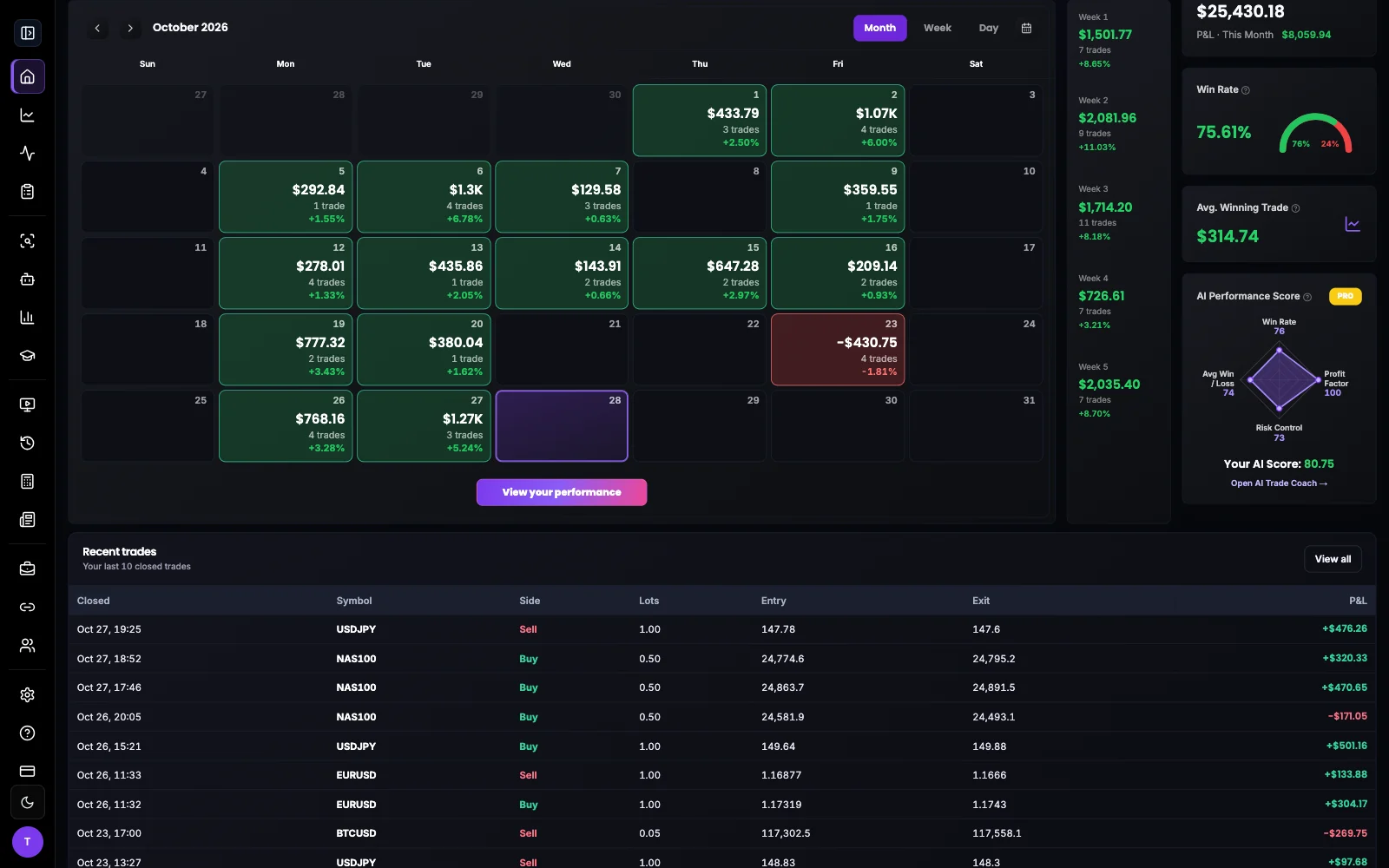
A list of trades hides patterns. A calendar shows them. This guide explains what each part of the TradeTerminal calendar means and what to look for when you open it.
What each day shows
Every day you traded has three lines:
- The result for the day, in your account currency.
- The number of trades you took.
- The return on your balance, as a percentage.
Profit days are green and loss days are red. Days without trades stay empty, and today has a purple outline.
Weekly and monthly totals
Beside the calendar, each week has its own total: the result, the number of trades and the return for that week. On a phone, a Monthly stats line above the days shows the month's result and how many days you traded.
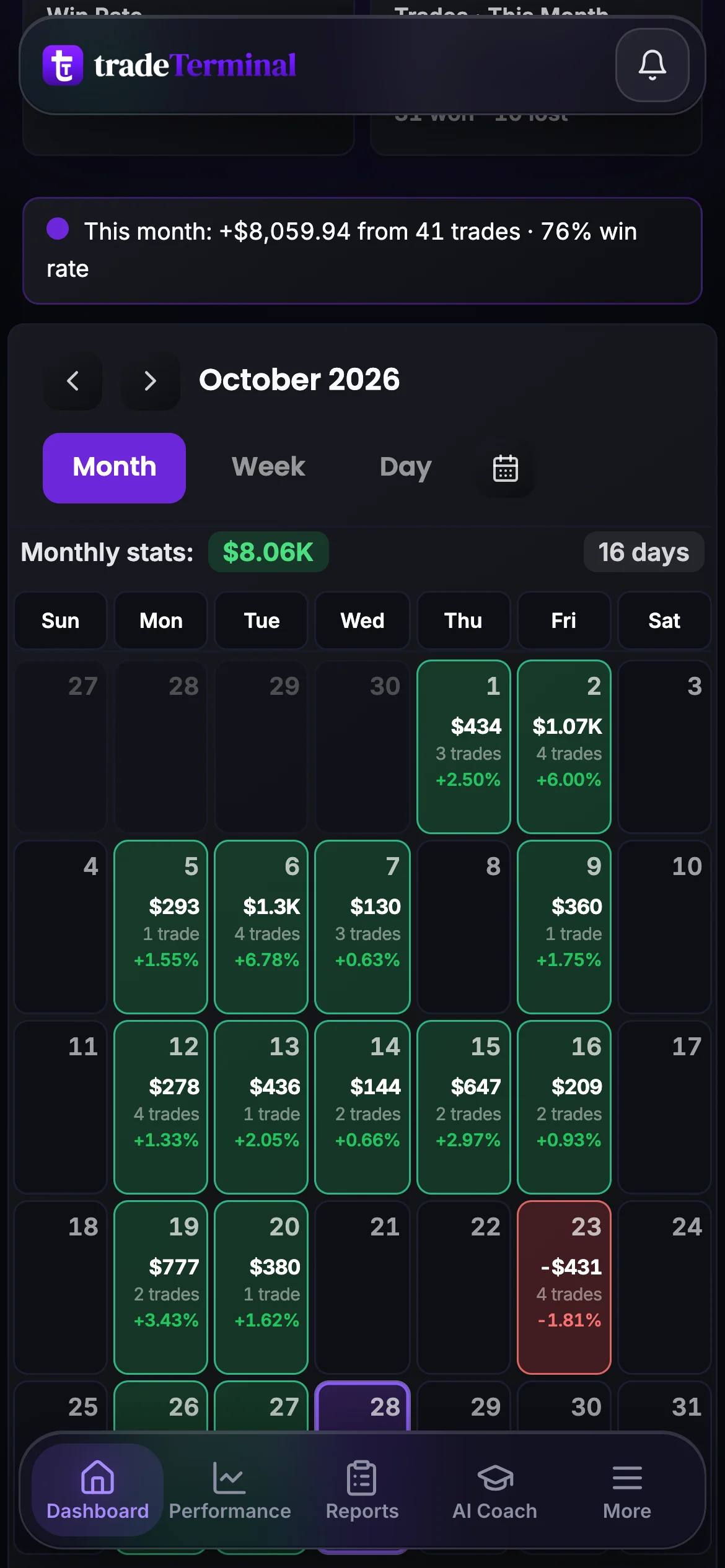
Month, week and day
Use the buttons above the calendar:
- Month shows the whole month.
- Week shows only the current week.
- Day opens today.
The arrows move to another month, and the small calendar button jumps to any month of any year.
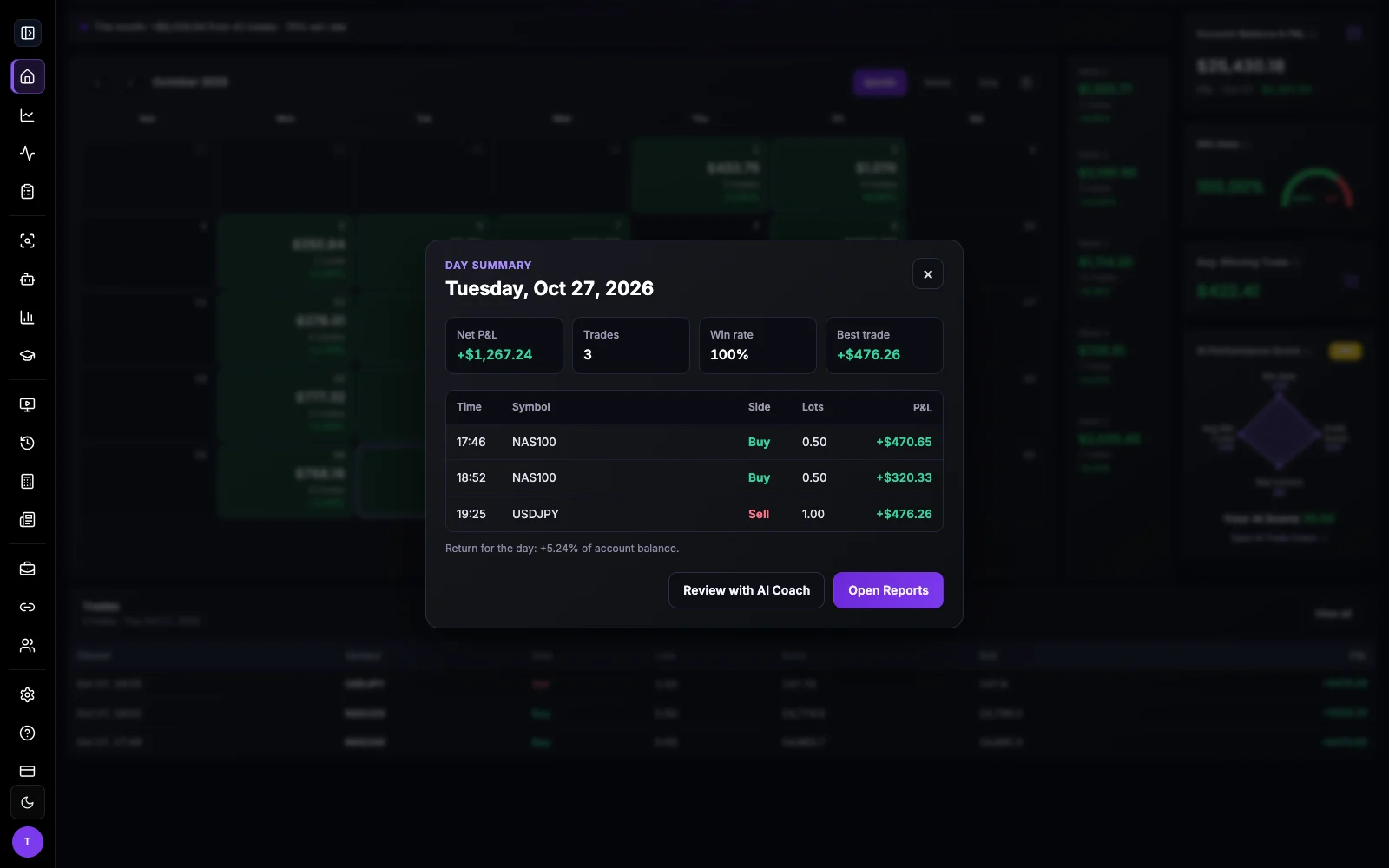
Tap a day to review it
Tap a day and TradeTerminal opens that day's summary: net P&L, number of trades, win rate and the list of trades. The rest of the dashboard switches to that day as well.
From the summary you can press Review with AI Coach for a review of that day, or Open Reports to see its report. Tap a week total to do the same for a whole week.
Four patterns worth looking for
- Red days with many trades. A loss day with eight or ten trades usually means overtrading or trying to win money back.
- One big red day after several green ones. Often a position that was too large. Compare the trade size on that day with your normal size.
- The same weekday in red again and again. Some traders lose most on Mondays or Fridays. If you see it, trade smaller on that day or skip it.
- Green days that are small and red days that are large. Your win rate may be fine, but your losses are bigger than your wins.
A five-minute weekly review
- Open the dashboard and look at the month.
- Tap your worst day of the week and read its trades.
- Tap your best day and read its trades.
- Write one sentence about the difference.
- Choose one rule for next week.
That is enough. The calendar is there to make the review quick, so that you actually do it every week.
Trading carries risk, and a calendar full of green days in the past does not guarantee the next month.